17.2.1.3. Shortcuts customization
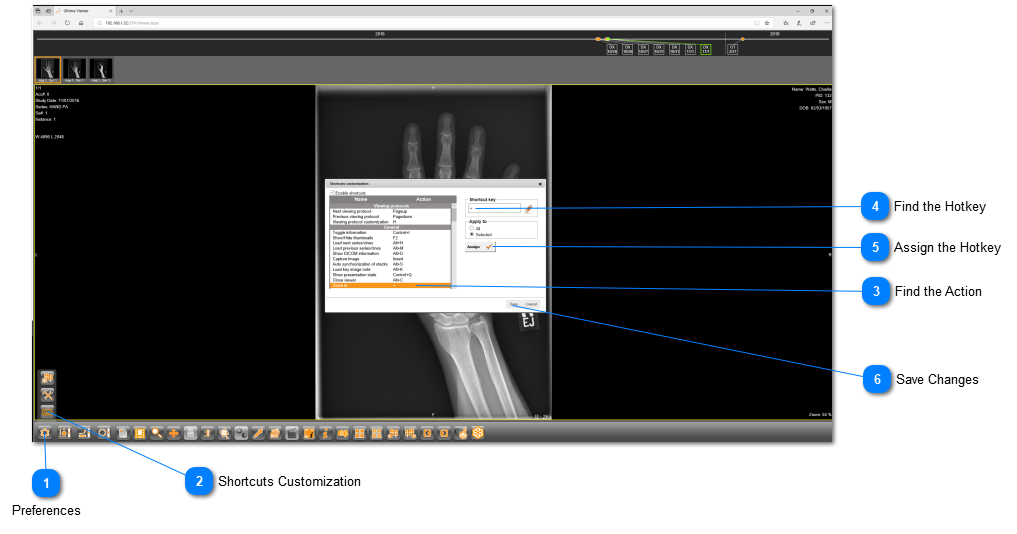
Workflow and efficiency can be improved with the creation of shortcuts on your keyboard. Follow the instructions below to create your own shortcuts:
 PreferencesClick on "Preferences" from the bottom toolbar.
|
|
 Shortcuts CustomizationSelect "Shortcuts Customization" from the menu.
|
|
 Find the ActionSelect the action that you would like to create a shortcut for.
|
|
 Find the HotkeyType in the hotkey onto the blank from your keyboard.
|
|
 Assign the HotkeyClick on "Assign" to officially link the action to the hotkey.
|
|
 Save ChangesClick on "Save" to save the changes. Make sure to check off: 
|
|