Ultima User Guide (c) Copyright by PaxeraHealth Corp. 2019
20.1.1. CareRad Share
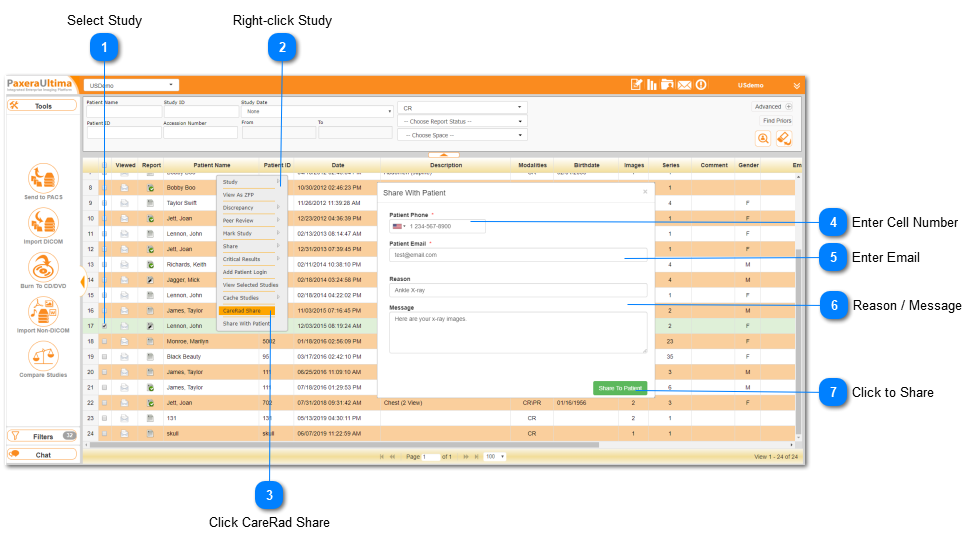
This feature enables the user to share a study to CareRad. CareRad is an additional application offered by PaxeraHealth that enables full patient engagement. Patients can receive their medical images on their mobile phone through the CareRad app (which can be downloaded from the Google Play or Apple store). For more information regarding this product, go to: https://carepassport.com/
To share a study to CareRad, simply follow the instructions below:
Select Study
Select the study-of-interest that you would like to share with the patient.